


by Will Williamson on 21 Jan 2026, 11:09:46

When you’re choosing a CRM, it’s easy to assume all platforms do the same thing. The reality is very different. The system you choose will shape how you manage sales, marketing, customer service, and even your website. Get it right, and it will help you generate more leads, win more customers, and keep everything running smoothly. Get it wrong, and you’ll waste time, money, and momentum.

Two of the most common options we see are HubSpot and Microsoft Dynamics. At first glance, they both sit in the “CRM” category, but in practice, they’re very different.
- HubSpot is more than just a CRM – it’s an all-in-one platform that brings together sales, marketing, customer service, and even website management. It’s built to be straightforward and user-friendly, so you can get it live and delivering results quickly. Most of our clients are up and running with HubSpot within 2–4 weeks.
- Microsoft Dynamics is a powerful, enterprise-grade CRM. It offers deep customisation and advanced features, but this comes at the cost of complexity. It typically takes far longer to implement – we know businesses are still working on a Dynamics rollout 18 months after starting – and adoption across the team can be a challenge.
In the rest of this article, we’ll break down the comparison into clear sections, looking at:
- Ease of use and implementation – how quickly can you get value from the system?
- Sales and marketing features – what tools are available to help you win more customers?
- Customer service and website management – where the two platforms differ most.
- Integrations, scalability, and cost – which system will serve you best as you grow?
By the end, you’ll see which option is the best fit for your business today, and which one is going to help you achieve your long-term growth goals.
Common Mistakes to Avoid When Choosing a CRM

Selecting a CRM is not just about buying software; it’s about choosing a system that will underpin how you manage customers, track opportunities, and drive growth. Too often, business owners rush the decision or get dazzled by features, only to end up with an expensive tool that no one actually uses.
Some of the most common mistakes we see include:
- Not involving your team – Sales, marketing, and customer service all use the CRM in different ways. If you don’t involve them, you risk choosing a system that looks good on paper but fails in practice.
- Forgetting scalability – You might pick something that works today, but will it still fit once you’ve doubled in size or launched a new product line?
- Overlooking ease of use – A CRM only works if your team actually uses it. If it’s too complicated, adoption will stall, and you’ll be back to spreadsheets.
- Ignoring integrations – Your CRM should connect seamlessly with your email, accounts, and marketing tools. If it doesn’t, you’ll end up with more admin, not less.
- Short-sighted budgeting – It’s not just about licence costs. Factor in training, support, and the cost of lost time if adoption drags.
Avoiding these pitfalls turns your CRM into a growth tool rather than just another system to manage. And this is where the real difference between HubSpot and Microsoft Dynamics becomes clear: one is built to be simple, quick to adopt, and all-in-one, while the other is designed for deep, enterprise-level customisation but requires significant time, expertise, and investment.
HubSpot Overview
What makes HubSpot stand out is that it’s not just a CRM – it’s an all-in-one platform. For SME business owners, this means you can manage everything in one place rather than trying to stitch together multiple tools.
One of HubSpot’s biggest advantages is ease of use. It’s intuitive, quick to set up, and easy for your team to adopt.
HubSpot is also built around inbound marketing. It has everything you need to attract prospects, nurture them with content and email campaigns, and hand-qualified leads over to your sales team. From SEO and social media tools to email automation and live chat, it’s designed to help you generate and convert leads consistently.
A few highlights:
- CRM: A free version with essential features so you can get started quickly.
- Marketing Hub: SEO, email marketing, and social media management.
- Sales Hub: Email tracking, automation, meeting scheduling, and live chat.
- Service Hub: Ticketing, help desk, and customer feedback tools.
- Content Hub: Build and manage your website with integrated SEO and analytics.
On top of the technology, HubSpot has extensive training resources and a strong global community, meaning you always have access to support and know-how.
Microsoft Dynamics Overview
Microsoft Dynamics 365 sits at the other end of the spectrum. It’s a powerful enterprise-grade CRM that excels in complexity and customisation. For larger organisations with detailed processes, multiple divisions, and specific compliance requirements, Dynamics can be shaped to fit.
Dynamics integrates seamlessly with Microsoft’s wider ecosystem – Office 365, Teams, and Azure – and includes advanced analytics through Power BI. It also goes beyond CRM, with ERP functionality, financial management, HR modules, and the ability to build custom apps through the Power Platform.
Some key features include:
- Sales: Forecasting, opportunity management, and AI-driven customer insights.
- Service: Case management, knowledge base, and advanced support tools.
- Finance & Operations: ERP, inventory management, and financial planning.
- HR: Employee management, performance tracking, and skill development.
- Customisation: Build tailored apps and workflows with the Power Platform.
But this power comes at a cost. Dynamics requires more time, money, and technical expertise to implement.
For SMEs, this can be a barrier. While Dynamics may suit a global enterprise with thousands of users and very specific requirements, most smaller businesses find it too heavy for their needs.
Marketing Features
When it comes to marketing, the difference between HubSpot and Microsoft Dynamics is clear.
HubSpot was built around inbound marketing. It gives you everything you need to attract leads online and nurture them until they’re ready to buy. Email campaigns, SEO tools, social media scheduling, forms, landing pages, and lead tracking are all in one place, fully integrated with the CRM. That means you can see exactly how someone found you, what they’ve engaged with, and what to do next. For SMEs, this makes running joined-up marketing campaigns far easier and far more effective.
Microsoft Dynamics approaches marketing differently. Its strength lies in analytics and segmentation, using AI and LinkedIn integration to give deep insights into customer behaviour. It’s typically used by larger enterprises with dedicated marketing teams who have the resources to manage complex data-driven campaigns.
In short:
- If you want a straightforward way to generate leads through inbound marketing, HubSpot is purpose-built for you.
- If you’re a large organisation with an established marketing department focused on advanced analytics, Dynamics may be a better fit.
This difference in approach sets the tone for the rest of the comparison.
Website Features
Your website is often the first impression a prospect has of your business, so the way your CRM handles websites matters more than many realise.
HubSpot includes its own Content Management System (Content Hub), which allows you to build and manage a professional, responsive website without needing technical expertise. Because it’s integrated with the rest of HubSpot, you also get built-in SEO tools, lead capture forms, and analytics all in one place. That means your website isn’t just a brochure: it becomes a lead generation engine, fully connected to your sales and marketing system. For SMEs, this can remove the need for separate website platforms, plugins, or multiple agencies managing different tools.
Microsoft Dynamics doesn’t have a CMS of its own. Instead, it relies on integration with its Power Platform, which lets you build custom apps and create advanced website analytics. This can be powerful if you have developers or IT resources, but for most SMEs, it adds complexity and cost rather than making things easier.
In short:
- HubSpot is ideal if you want a website platform that’s simple, effective, and designed to generate leads straight away.
- Microsoft Dynamics suits enterprises with technical teams who want to build custom apps and manage complex integrations.
Sales Management Features
Winning new customers and keeping track of opportunities is where a CRM really earns its keep. Both HubSpot and Microsoft Dynamics include strong sales tools, but they approach them very differently.
HubSpot makes sales management simple and visual. It gives you an easy-to-understand pipeline so you can see exactly where every deal is, what needs chasing, and what’s at risk of stalling. It also includes practical tools like email tracking, meeting scheduling, and automation to save time and keep your team organised. For SMEs, this makes sales management more efficient without adding extra admin.
Microsoft Dynamics goes deeper. It offers advanced sales forecasting, AI-driven insights, and detailed opportunity management. This is great for large sales teams working across multiple territories or divisions, but it comes with more complexity. To get real value from these features, you need time, resources, and often dedicated CRM specialists.
In short:
- HubSpot is ideal if you want your sales team to adopt the system quickly, stay organised, and close more deals without extra complexity.
- Microsoft Dynamics is suited to larger organisations with complex sales structures that require advanced forecasting and analytics.
Customer Support and Service Tools
A CRM isn’t just about winning new customers; it’s about keeping them. The way your system supports customer service has a direct impact on satisfaction, loyalty, and repeat business.
HubSpot focuses on simplicity and joined-up communication. Its Service Hub gives you a ticketing system, shared inbox, live chat, and feedback tools; all integrated with the CRM. That means your team can see the full history of every customer interaction, whether it started as a sales lead or a support query. For SMEs, this creates a smooth, professional service experience without needing multiple systems.
Microsoft Dynamics offers a more advanced, enterprise-level service suite. With case management, knowledge bases, and AI-driven insights, it’s built to support large service teams handling complex volumes of support tickets across multiple departments. It’s powerful, but it usually requires more resources and training to implement effectively.
In short:
- HubSpot is best if you want an easy way to deliver consistent, professional customer service with everything linked to your CRM.
- Microsoft Dynamics is better suited to larger enterprises running dedicated support centres that need advanced case management.
Ease of Use
A CRM is only valuable if your team actually uses it.
HubSpot is designed to be simple from day one. The interface is intuitive, the dashboards are clear, and most users can get to grips with it quickly without heavy training. Features like drag-and-drop pipelines and integrated email tools make it straightforward to use in day-to-day sales and marketing.
Microsoft Dynamics offers much more flexibility and depth. But with that comes complexity. The system is highly customisable, which can be powerful in the right environment, but it also means a steeper learning curve and longer adoption times.
In short:
- HubSpot is the right choice if you want your team to adopt the CRM quickly and start seeing results straight away.
- Microsoft Dynamics is a fit if you have the time, budget, and resource to invest in training and customisation for the long term.
Integrations and Customisation Options
No CRM works in isolation; it needs to connect with the tools you already use and be flexible enough to grow with your business.
HubSpot makes integrations simple. It connects with common tools like Outlook, Gmail, and accounting software straight out of the box. Its App Marketplace also gives you access to hundreds of plug-and-play integrations with other popular business systems. For most SMEs, this means you can get everything working together quickly without the need for developers.
Microsoft Dynamics is built for customisation. It integrates deeply with the Microsoft ecosystem – Office 365, Teams, and Azure – and its Power Platform allows you to create bespoke apps, workflows, and automation. This level of flexibility is impressive, but it usually requires specialist knowledge, significant setup, and ongoing technical support to manage.
In short:
- HubSpot is best if you want easy, ready-made integrations that your team can start using straight away.
- Microsoft Dynamics is better suited if you need advanced customisation and have the IT resource to build and maintain it.
Implementation, Support & Training
How quickly you can get your CRM live – and how well your team is supported – makes a huge difference to whether it delivers results.
HubSpot is quick to implement. It’s designed to be straightforward, with minimal technical setup required. HubSpot also offers a huge library of training resources – from blogs and videos to certifications – as well as a strong global community. Combined with our hands-on support at JDR, this makes adoption smooth and stress-free.
Microsoft Dynamics takes longer. Microsoft does provide structured training programmes and dedicated support, but these are typically geared towards larger organisations with the resources to invest heavily in adoption.
In short:
- HubSpot is ideal if you want a system up and running quickly, with plenty of accessible training and support.
- Microsoft Dynamics suits enterprises with complex requirements and the budget to invest in a lengthy, resource-intensive rollout.
Why We Work With HubSpot
At JDR, we’ve chosen to work with HubSpot because it fits perfectly with our proven 6-step sales and marketing system. HubSpot isn’t just a CRM – it brings together everything you need to attract new leads, nurture them, convert them into customers, and keep them for the long term.
- Step 1: Strategy and Planning – We set up HubSpot so it reflects your goals, sales process, and growth plans.
- Step 2: Content Creation – HubSpot makes it easy to publish, promote, and measure the content that attracts your ideal customers.
- Step 3: Build Website Traffic – With built-in SEO and social tools, HubSpot helps drive the right visitors to your website.
- Step 4: Turn Website Visitors Into Leads – Forms, landing pages, and automation capture leads and make sure they never slip through the cracks.
- Step 5: Convert Leads Into Sales – HubSpot’s sales pipeline, email tracking, and automation keep your sales team focused on closing deals.
- Step 6: Deliver, Delight & Grow Customers – With HubSpot’s Service Hub, you can give customers a seamless experience that keeps them coming back.
Because HubSpot aligns with every stage of our system, we can give you a joined-up sales and marketing process that actually delivers results.
How We Help With HubSpot
We don’t just recommend HubSpot – we implement it with you and for you. Our support includes:
- Onboarding & Implementation: We set up HubSpot quickly and get you live in weeks, not months.
- Website Design: We design and build websites on HubSpot Content Hub that are fast, modern, and built to generate leads.
- Training: We train your team so they feel confident using the system day-to-day.
- Integrations: We connect HubSpot with your email, accounts, and other tools so everything works seamlessly.
- Ongoing Support: We stay with you after launch to make sure HubSpot continues to deliver value as you grow.
With JDR, you get not just the software, but a proven system and a complete team behind you.
Your Next Step:
If you’d like to see how HubSpot could work for your business, you’ve got two easy options:
- Book a discovery call with us – we’ll show you what HubSpot can do for your business and answer your questions.
-
Or download our FREE Guide to HubSpot CRM to learn more.
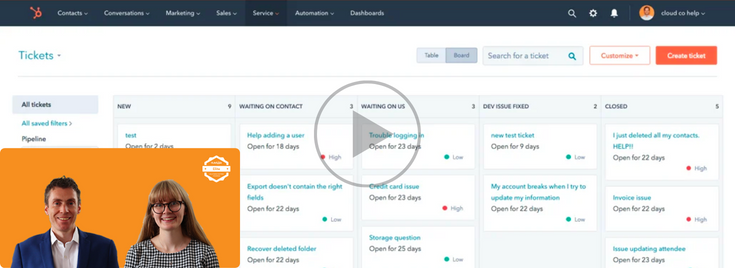
Replay: How To Get The Most Out Of HubSpot Tickets (Service Hub)
Join Will Williamson & Emma Ablewhite from The JDR Group as they share another HubSpot masterclass. In this session, you'll discover how to get th …

Replay: How To Manage Salespeople With HubSpot (HubSpot Masterclass)
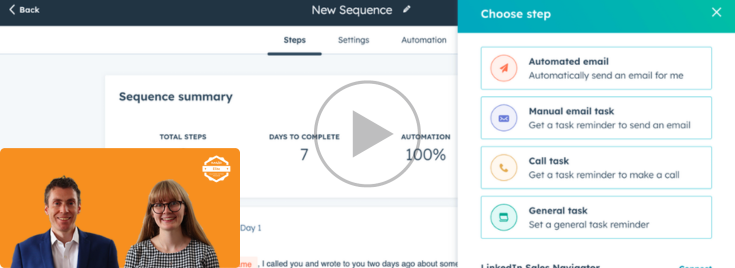
Replay: Get The Most Out Of HubSpot Sequences (Sales Hub)
Join Will Williamson & Emma Ablewhite from The JDR Group as they share another 30 minute HubSpot masterclass. In this session, you'll discover how …