


by Andrew Leamon on 15 Jul 2026, 10:00:01

If you're considering HubSpot, you've probably already realised that understanding the pricing isn't straightforward.
There isn't a single HubSpot package. Instead, there are multiple Hubs, different subscription levels, user licences, contact limits, onboarding fees, and optional add-ons. Add to that regular product updates and pricing changes, and it can quickly become difficult to work out what you actually need.
For many SMEs, the challenge isn't deciding whether HubSpot is a good platform. It's understanding which combination of tools will help you achieve your business goals without paying for functionality you'll never use.

That's where many businesses make expensive mistakes. Some invest in features they don't need. Others choose a package that's too limited and quickly find themselves needing to upgrade. Many underestimate the importance of onboarding, training, and implementation, which ultimately determines whether HubSpot becomes a valuable business asset or just another software subscription.
At JDR, we've helped hundreds of SMEs implement HubSpot successfully. We've found that the businesses that achieve the best results aren't necessarily those with the biggest budgets. They're the ones who choose the right package, align it with their sales and marketing processes, and use it consistently.
In this guide, we'll explain HubSpot pricing in plain English. You'll learn what each Hub does, what the different subscription levels include, what additional costs you should expect, and how to identify the right setup for your business.
Why Can HubSpot Pricing Feel So Complicated?
Unlike many business software platforms, HubSpot isn't a single product.
It's a collection of tools designed to help you generate leads, manage customer relationships, automate marketing, improve sales performance, and deliver better customer service.
You can purchase these tools individually or combine them into a wider platform. Each Hub also has different subscription levels, creating hundreds of potential combinations.
When researching HubSpot, you'll typically encounter:
- Marketing Hub
- Sales Hub
- Service Hub
- Content Hub
- Operations Hub
- Smart CRM
Each Hub is available at different subscription levels, including Starter, Professional, and Enterprise.
The right combination depends on factors such as:
- The size of your business
- The number of users
- Your sales process
- Your marketing objectives
- Reporting requirements
- Automation requirements
- Customer service processes
- Future growth plans
This flexibility is one of HubSpot's greatest strengths. It allows you to start with the tools you need today and expand over time. However, it also means choosing the right package requires careful planning.
What Is HubSpot?
HubSpot is an all-in-one customer platform that combines CRM software, marketing automation, sales tools, customer service software, content management, and reporting.
Many SMEs initially explore HubSpot because they need a CRM. However, they soon discover that HubSpot can support much more than contact management.
The platform can help you:
- Generate leads through your website
- Manage marketing campaigns
- Track enquiries
- Nurture prospects automatically
- Manage sales opportunities
- Improve customer service
- Measure marketing and sales performance
For growing businesses, this creates a significant advantage. Instead of using separate systems for CRM, email marketing, reporting, automation, and customer service, HubSpot brings everything together in one place.
More importantly, it helps align marketing and sales.
Many SMEs generate enquiries but struggle to convert them consistently. Others have strong sales teams but lack a reliable way of generating leads. HubSpot helps bridge that gap by creating a connected process from initial enquiry through to customer retention.
How Does HubSpot Pricing Work?
HubSpot pricing is built around three key variables:
1. The Hubs You Need
You can purchase individual Hubs or combine several together.
For example, a business focused on lead generation may need Marketing Hub and Sales Hub. Another organisation may prioritise Service Hub to improve customer support.
2. The Subscription Level
Each Hub offers different levels of functionality:
- Starter
- Professional
- Enterprise
As you move up the tiers, you gain access to more advanced features, automation, and reporting.
3. Additional Users And Contacts
Depending on the Hub, costs can increase based on:
- Number of users
- Number of marketing contacts
- Additional functionality
- Integrations
- Advanced reporting requirements
This means two businesses using the same Hub may pay very different amounts.
What Does HubSpot Really Cost?
One of the biggest mistakes businesses make is focusing only on the monthly subscription fee.
The reality is that your total investment often includes several elements.
Software Subscription
This is the recurring fee paid directly to HubSpot for access to the platform.
The cost varies depending on:
- The Hubs selected
- The subscription level
- Number of users
- Number of contacts
Onboarding And Implementation
Many Professional and Enterprise packages require onboarding.
This includes:
- Platform setup
- CRM configuration
- Pipeline creation
- Automation setup
- Reporting configuration
- User training
Data Migration
If you're moving from another CRM, you may need support migrating:
- Contacts
- Companies
- Deals
- Historical activities
- Marketing assets
Training
The more people using HubSpot, the more important training becomes.
Without proper training, adoption often suffers and businesses fail to achieve the expected return on investment.
Ongoing Support
Many businesses choose ongoing support from a HubSpot Partner to help with:
- Reporting
- Automation
- Marketing campaigns
- Sales process optimisation
- User support
- Continuous improvement
When evaluating HubSpot, look beyond the subscription cost and consider the total investment required to achieve your goals.
What Are HubSpot AI Credits And How Do They Affect Pricing?
One of the newest parts of HubSpot's pricing model is HubSpot Credits, which are used to power many of HubSpot's AI features.
Rather than charging separately for every AI tool, HubSpot now includes a monthly allowance of credits with many paid subscriptions. When you use certain AI-powered features, credits are deducted from your monthly balance. If you need more, you can purchase additional credits.
Examples of features that use credits include:
- AI-powered customer support through Customer Agent
- Prospecting and sales research
- Data enrichment
- Some AI assistants and automation tools
- Future AI features as HubSpot continues to expand its platform
Think of credits as a monthly usage allowance, similar to mobile phone data. If your business makes occasional use of AI tools, your included credits may be more than enough. However, if you're using AI extensively across your marketing, sales, and customer service teams, you'll need to monitor your usage and factor additional credits into your overall HubSpot budget. Credits reset each month and unused credits do not roll over.
This doesn't mean HubSpot has become expensive, but it does mean AI is now another consideration when comparing packages. As businesses increasingly adopt AI to generate content, qualify leads, support customers, and automate repetitive tasks, it's worth understanding how the credit system works before choosing your subscription.
What Does Each HubSpot Hub Do?
Marketing Hub
Marketing Hub helps you generate leads and nurture prospects.
It's particularly useful if you want to:
- Generate enquiries through your website
- Build email marketing campaigns
- Automate lead nurturing
- Track marketing ROI
- Improve lead quality
For businesses looking to grow through inbound marketing, Marketing Hub is often one of the most valuable investments.
Sales Hub
Sales Hub helps sales teams work more efficiently and consistently.
Key benefits include:
- Pipeline management
- Automated follow-up
- Sales reporting
- Meeting scheduling
- Deal tracking
If your business relies on a structured sales process, Sales Hub can significantly improve visibility and accountability.
Service Hub
Service Hub focuses on customer retention and support.
It helps you:
- Manage support tickets
- Gather customer feedback
- Create knowledge bases
- Improve customer satisfaction
Content Hub
Content Hub helps you create, manage, and optimise website content.
This can be particularly useful if you're using HubSpot as your website platform.
Operations Hub
Operations Hub helps connect systems and automate processes.
It is often most valuable for businesses with:
- Multiple software platforms
- Complex reporting requirements
- Data synchronisation challenges
Which HubSpot Tier Do You Need?
Starter
Starter is often suitable for:
- Start-ups
- Small businesses
- Businesses implementing CRM for the first time
You gain access to core functionality without significant complexity.
Professional
Professional is where many growing SMEs find the greatest value.
It's often the right choice when you need:
- Marketing automation
- Advanced reporting
- Sales automation
- Lead nurturing
- Workflow automation
Many businesses eventually outgrow Starter and move to Professional as their sales and marketing processes mature.
Enterprise
Enterprise is designed for larger organisations with more complex requirements.
It offers:
- Advanced permissions
- Custom reporting
- Sophisticated automation
- Governance controls
- Enhanced scalability
Not every business needs Enterprise, and many SMEs can achieve excellent results without it.
When Should You Upgrade From Starter To Professional?
You may be ready to upgrade when:
- Your sales team is growing
- Manual processes are becoming time-consuming
- You need automated workflows
- You want better reporting
- Lead nurturing is becoming more sophisticated
- Marketing and sales need tighter alignment
The decision should be based on business requirements rather than simply accessing more features.
What Are The Most Common HubSpot Pricing Mistakes?
Buying More Than You Need
Many businesses assume they need Enterprise because it sounds more capable.
In reality, Professional is often sufficient for most SMEs.
Choosing Too Little
The opposite problem is equally common.
Some businesses choose Starter to minimise costs, only to discover they need automation and advanced reporting within months.
Ignoring Onboarding
Poor implementation is one of the biggest causes of CRM failure.
Even the best platform will struggle to deliver results if it isn't configured properly.
Focusing On Software Rather Than Strategy
HubSpot is a powerful platform, but it isn't a growth strategy.
Technology should support your marketing and sales objectives, not replace them.
Why Is HubSpot Onboarding So Important?
HubSpot can transform how your business generates leads and manages sales, but only when it's implemented correctly.
Effective onboarding typically includes:
- CRM setup
- Sales pipeline configuration
- Automation setup
- Reporting dashboards
- Team training
- Integration setup
This creates the foundations for long-term success.
Without proper onboarding, many businesses only use a fraction of the platform's capabilities.
Should You Buy HubSpot Direct Or Work With A Partner?
You can purchase HubSpot directly from HubSpot or work with a certified HubSpot Partner.
Both approaches have advantages, but they're very different experiences.
Buying Direct
Buying direct gives you access to the software and HubSpot's onboarding resources.
This can work well if you already know:
- Which package you need
- How you want to configure the platform
- How your sales process should work
- How your marketing automation should be structured
Working With A Partner
A HubSpot Partner provides strategic guidance as well as technical implementation.
This typically includes:
- Package selection
- CRM strategy
- Sales process design
- Marketing automation
- Team training
- Ongoing support
For many SMEs, the challenge isn't purchasing software. It's implementing it successfully and ensuring adoption across the business.
How JDR Helps SMEs Get More From HubSpot
At JDR, we don't view HubSpot as simply a CRM platform.
We see it as part of a wider system for generating leads, converting opportunities, and growing your business.
We help SMEs:
- Select the right HubSpot package
- Implement HubSpot correctly
- Configure sales pipelines
- Build marketing automation
- Train teams
- Improve reporting
- Align marketing and sales
Most importantly, we focus on helping you generate a return on your investment.
After all, the goal isn't to buy software. The goal is to grow your business.
Frequently Asked Questions
Is HubSpot worth the cost?
For many SMEs, yes. HubSpot can replace multiple systems while improving visibility across marketing, sales, and customer service.
Can I start with HubSpot Starter?
Absolutely. Many businesses begin with Starter and upgrade later as their requirements become more sophisticated.
Is onboarding mandatory?
Some Professional and Enterprise packages include mandatory onboarding requirements. These can vary depending on the package and current HubSpot policies.
Can I add additional Hubs later?
Yes. One of HubSpot's strengths is its flexibility. You can start with the functionality you need today and expand over time.
Is HubSpot suitable for small businesses?
Yes. Many small businesses start with the free CRM or Starter packages before upgrading as they grow.
Which HubSpot Package Is Right For You?
There isn't a universal answer.
The right package depends on your business goals, sales process, marketing strategy, and growth plans.
Choosing the wrong package can leave you paying for functionality you'll never use, or lacking the tools you need within months.
If you're considering HubSpot and would like independent advice, speak to our team.
We'll help you evaluate your options, understand the likely costs, and identify the combination of Hubs, licences, and onboarding support that best fits your business.
Whether you're implementing HubSpot for the first time or looking to upgrade an existing account, we'll help you make an informed decision and maximise your return on investment.
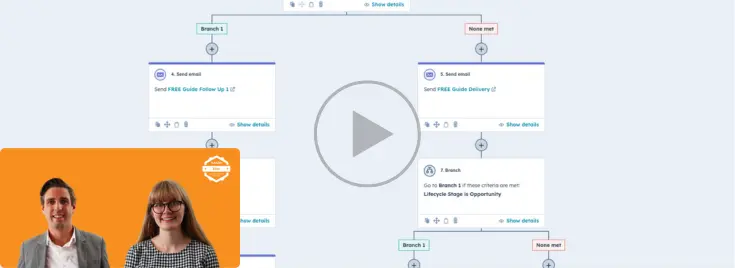
Replay: How To Get More From Workflows (HubSpot Masterclass)
How To Use HubSpot's Automated Workflows Workflows are the automation tool in HubSpot, allowing you to automate marketing emails, sales tasks, custome …
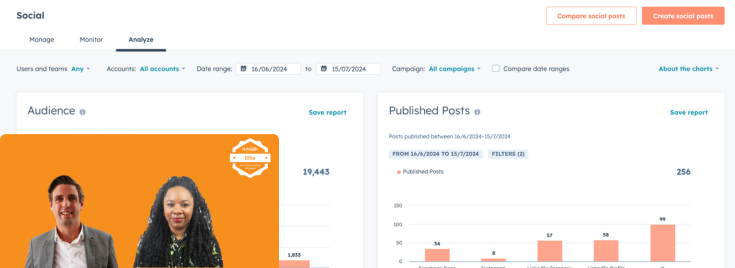
Replay: How To Use HubSpot For Social Media (HubSpot Masterclass)
Replay: Maximise E-commerce Sales With HubSpot (HubSpot Masterclass)
Maximise E-commerce Sales With HubSpot If you sell products or services online, then this webinar is for you. Maximising sales as an E-commerce busine …